Free Desktop & Offline PDF Editor
Edit, convert, OCR, redact, and e-sign your PDFs on your own computer. 100% offline local processing — your confidential documents never leave your device. Tired of expensive subscriptions? Get a professional-grade desktop license with a lifetime buyout.
Official Technology Upgraded & Consolidated Notice
To deliver state-of-the-art offline PDF algorithms and continuous feature updates, Aurora PDF has officially consolidated with and upgraded to our flagship software PDF Agile. The desktop core engines have merged into a single powerhouse. For transparency, support and policies, please review our local About Us, Privacy Policy, and Terms of Service.
All Professional Desktop Tools in One App
PDF Agile delivers full-featured PDF solutions powered by a lightweight local engine, giving you Acrobat-grade capabilities on your computer.
Edit Text & Organize Pages in Place
Retype body text directly inside paragraphs with automatic font style and size matching — preventing layout breaks. Erase old markings cleanly, crop margins with precision, and split or insert blank pages instantly using our visual page management interface.
Explore Editing Tools →
High-Fidelity Office, CAD & OCR Export
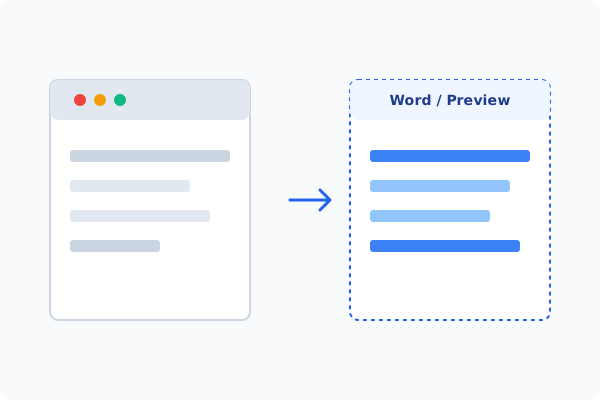
Batch convert PDFs back into editable Word, Excel, and PPT files with layout retention. Vector-convert engineering blueprints to precise DWG and DXF formats standalone, and run our high-performance local OCR engine to extract clean searchable text from scanned papers.
Explore Conversion Tools →Permanent Redaction & Digital Signatures
Permanently destroy sensitive records from the file stream with regulatory redaction (black blocks), apply legally binding PKI certificate-based digital signatures, and edit embedded images inline securely without cloud upload risks.
Explore Security Tools →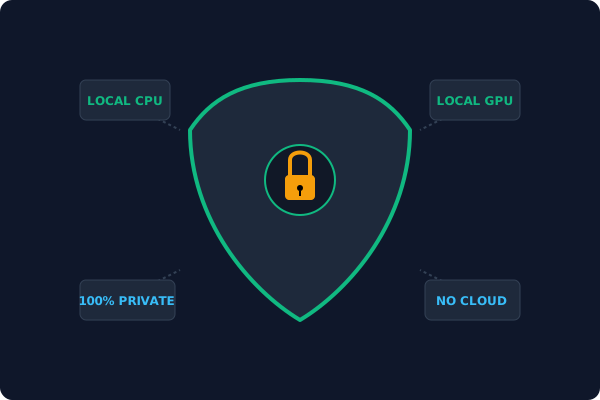
Why Desktop Offline Processing is Superior
By keeping all operations on your own CPU/GPU, desktop utilities protect your data boundaries while maintaining peak processing speed.
100% Privacy & Compliance
No document is ever uploaded to a server. PDF Agile processes all modifications locally, making it fully compliant with strict corporate privacy guidelines and GDPR regulations.
No Capping & Boundaries
Skip the cloud queues. Edit, convert, or OCR oversized books and technical plans of unlimited file size and page count instantly without waiting for online uploads or downloading watermarked pages.
Hardware-Level Speed
Leverage your native CPU/GPU hardware acceleration. Opening files, scanning table grids with AI, and rendering complex vector layout blueprints are executed locally with zero cloud delay.
Offline Local Software vs. Online & Subscription Editors
See how the professional offline desktop PDF Agile stacks up against online utilities and expensive monthly alternatives:
| Features / Risks | Online PDF Editors | Adobe Acrobat | PDF Agile (Offline) |
|---|---|---|---|
| Data Privacy & Safety | ❌ Unsafe (File Uploaded to Cloud) | ⚠️ Average (Cloud Sync Enabled) | ✔ 100% Safe (Processed Locally) |
| File Size & Page Limits | ❌ Strict Limits (Often <20MB) | ✔ Unlimited Pages | ✔ Unlimited Pages (No Cap) |
| Subscription Fees | ⚠️ Free with Ads or Monthly Cap | ❌ Very Expensive ($20+/Month) | ✔ Affordable Lifetime Buyout |
| Offline Performance | ❌ Zero (Requires Internet) | ✔ Slow Setup & Cloud Checks | ✔ Instant Local CPU/GPU Loading |
Explore Offline PDF Tools by Category
Quickly access our dedicated category hubs to find local solutions tailored to your documents.
Edit & Page Organization
Free desktop tools to edit PDF text with font matching, erase content, crop, split, and insert pages — 100% offline and secure.
Insert & Markup
Add page numbers, shapes, watermarks, measurements, and hyperlinks to your PDF documents on desktop — no upload required.
Advanced Reading & AI Utilities
Switch reading modes, extract tables to Excel with AI, and compare two PDF files side by side on your desktop.
Format Conversion & OCR
Batch convert PDF to Word, Excel, PPT, CAD and run accurate OCR on scanned files — secure offline processing on desktop.
Security, Redaction & E-Sign
Redact sensitive text, apply digital signatures, and edit images inside PDF with desktop-grade privacy and security.
All-in-One Local PDF Tools Directory
Browse our complete list of 28 dedicated offline tools. Find step-by-step guidelines and solutions instantly without a browser-connection.
Edit Tools
Insert Tools
Advanced Reading Tools
Format Conversion Tools
Security, Redaction Tools
Frequently Asked Questions & Workarounds
Find instant answers about our offline technology, licensing models, and document safety.
What is Aurora PDF (Now PDF Agile)?
Aurora PDF is our professional, lightweight desktop PDF engine. To deliver the highest processing fidelity and continuous feature updates, our desktop technology has officially upgraded to and consolidated with PDF Agile. When you download Aurora PDF, you get the latest full-featured PDF Agile desktop software.
Why is offline PDF editing safer than using online tools?
Online PDF editors require you to upload your files to external cloud servers. If your documents contain financial data, personal records, or corporate contracts, this poses a major privacy and GDPR compliance risk. Offline processing on PDF Agile runs 100% locally on your own computer's CPU/GPU. Your files never leave your device.
Are there any file size or page limits when editing offline?
No. Online tools enforce strict file size limits (often capping at 10MB or 20MB) and page counts unless you pay a high subscription. Since PDF Agile runs locally, it leverages your computer's native memory and hardware acceleration, allowing you to edit books, legal filings, and blueprints of unlimited sizes and page counts completely free of limit.
Does PDF Agile preserve the layout when converting PDF to Word?
Yes. Naive PDF converters scramble columns, tables, and spacing. PDF Agile utilizes an advanced local conversion engine that reconstructs the document flow natively, maintaining high-fidelity formatting, margins, and embedded styles.
Is there a buyout lifetime license option?
Yes! We believe users are tired of expensive monthly and yearly subscriptions. PDF Agile offers an affordable, one-time-purchase lifetime buyout license. Pay once, own the software forever, and get professional-grade desktop tools with absolutely no recurring bills.
Tired of Expensive Adobe Subscriptions?
Try PDF Agile. Get professional, desktop-grade PDF tools with a lifetime buyout license. 100% offline and secure.